 ASInstaller
Everything you play,
one bright window.
ASInstaller pulls your games and apps out of Steam, GOG and the Windows registry into one calm library — the AS Store a click away, live system stats right on the home screen.
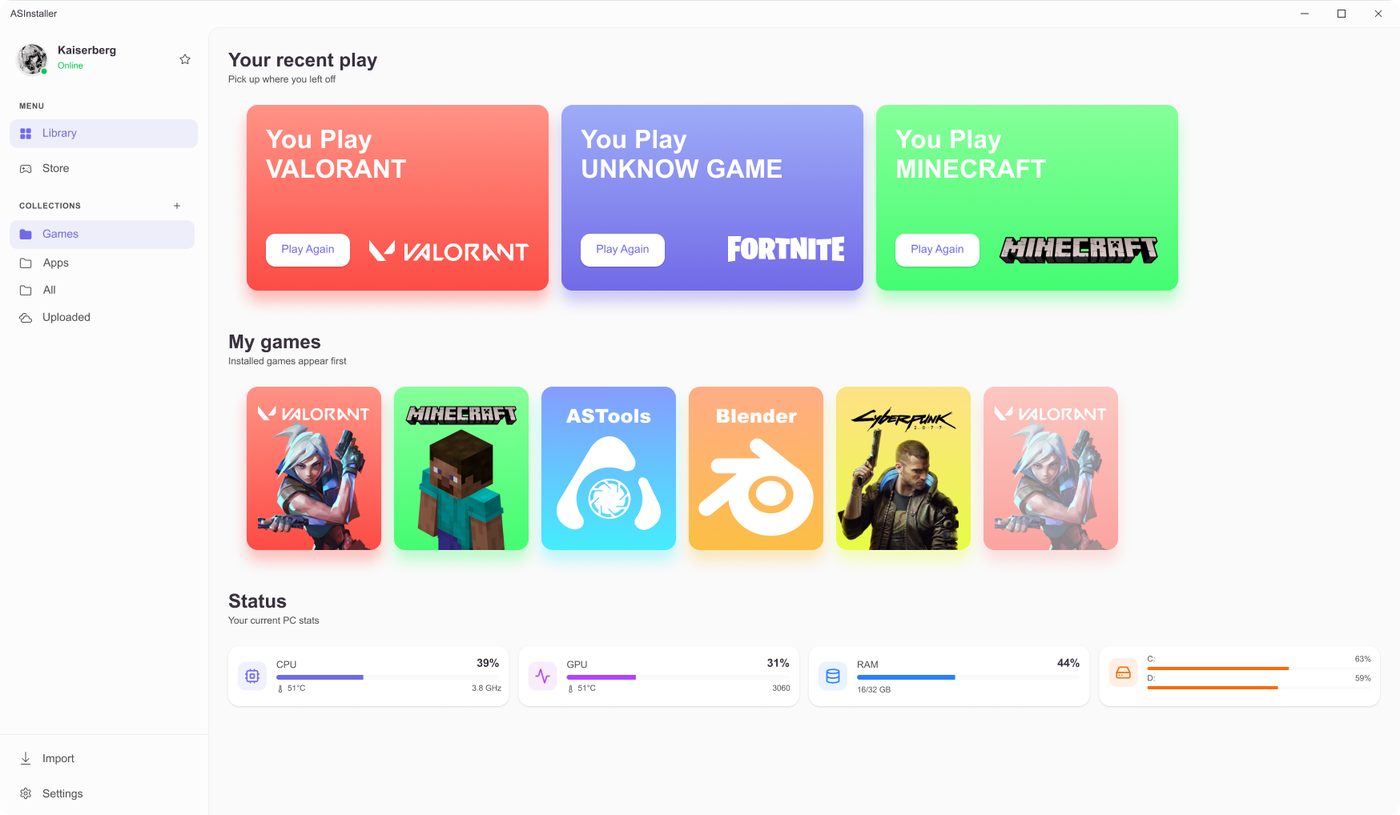 FIG.01 — LIBRARY
Everything you already own, side by side.
ASInstaller scans Steam, GOG and the Windows registry, then wires it all into one library — games and apps, together. No more launcher roulette.
Your machine, read live.
Sign in once with your APERTURESyndicate account, then watch CPU, GPU, memory and disk read out right on the home screen. No widgets, no overlays — just the numbers, exactly where you start your session.
Installing takes one window.
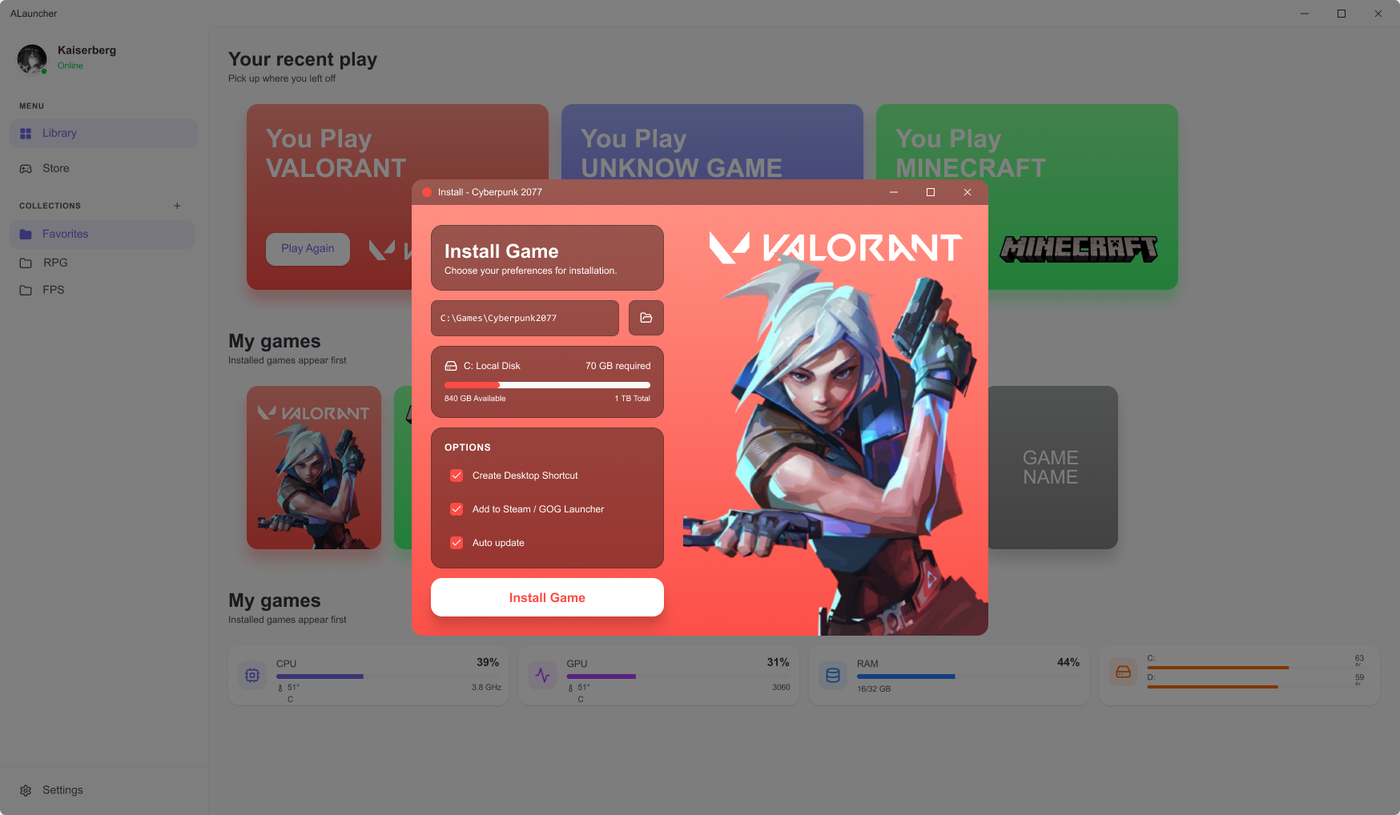 FIG.02 — INSTALL
Choose a folder, see exactly how much space you'll need, pick your shortcuts. ASInstaller takes it from there — auto-update included.
Pick a folder
Choose exactly where games and apps land.
Check the space
Required vs. available — shown upfront, no surprises.
Choose shortcuts
Desktop icon, auto-update — entirely your call.
Install
One click. ASInstaller handles the rest.
Light by day, dark by night.
Get Resonance while you’re here.
Our native music player. Grab it through ASInstaller — one library, auto-update — or take the plain Windows installer.
ASInstaller · v1.0 · FreeBring it all together.
One window for every game and app you own. Free, no account required to install.
AN APERTURESYNDICATE · ASCODEWORKS PROJECT