Apeiron launches any game or app on your PC, not just ours
ASInstaller is now Apeiron, written from scratch. It still installs and updates our products, and its library picks up everything else you already have: Steam, Epic and GOG games and the programs you add, all started from one place.
by APERTURESyndicate · August 2, 2026

ASInstaller started as the way to install and update Syndicate products, and later it learned to start other people's games as well. In October we replaced it with Apeiron. It has the same cloud-and-arrow mark, but the code underneath was written from scratch, and the library is the part that changed the most.
It finds what you already have
You don't import anything by hand. Apeiron reads Steam's library folders on every drive Steam knows about, Epic's install manifests and GOG's records in the registry, and looks for well-known programs like Discord or Blender where they usually live. The one source it doesn't pull from on its own is the Windows list of installed apps, because most of what sits there is drivers and runtimes nobody wants on a shelf. Press Scan this computer and it shows you what it found, and you pick what goes in.
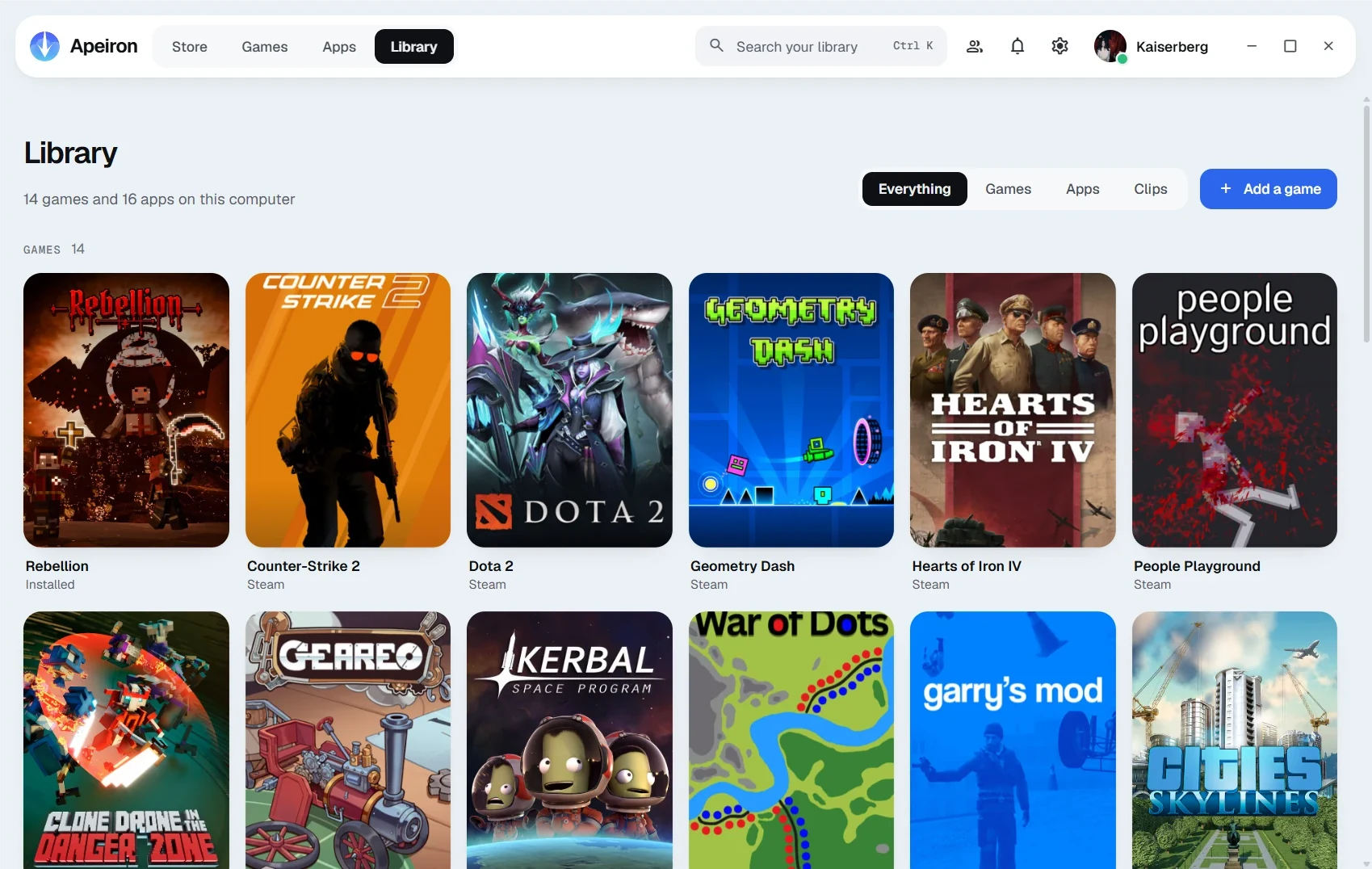
A Steam game still starts through Steam, and an Epic one through Epic. It sounds like a detail, but that's what keeps their DRM and cloud saves working, so Apeiron doesn't try to be clever and run the .exe behind the store's back.
Covers without grey squares
For Steam games the art comes from Steam's own cache on your disk, so nothing gets downloaded at all. For Epic, GOG and anything you added yourself, Apeiron looks the game up in the Steam store by its name. Only the name leaves your computer, and you can turn that lookup off in settings. Programs get their icon from their own .exe, and if you set your own picture on something, it stays yours.
The rest of it
The store is where Rebellion, Resonance, ASAI and Minidi live. They install, update and repair from signed releases, and nothing asks for administrator rights. Shift+Tab over a running game opens the overlay with your friends and invites, and the replay buffer saves the last moments of play on a hotkey, with the game, other apps, voice chat and your microphone on separate tracks. Voice and microphone stay off until you turn them on.
The library and launching work offline, and there's no usage telemetry, so the list of what's installed on your computer stays on your computer.
If you used ASInstaller
Apeiron arrives as ASInstaller's last update. Apps you installed from the old store are checked in place and taken over instead of being downloaded again, and the games and programs you'd found or added move across with their names, your artwork and last-played times. Settings don't carry over, so you'll sign in once more in the browser.
Getting it
Windows 10 or 11, 64-bit, free, at aperturesyndicate.com/projects/apeiron. The old ASInstaller link gives you Apeiron too.